

Project Type
B2B, Enterprise Banking, Web & App Redesign
Team
1 UX Designer, 1 UI Designer, 3 Engineers, 1 Project Manager, 1 Design Director
My Role
UX Design Intern
Timeline
3 months (Sep–Nov 2023)
Overview
CUBEnterprise is Cathay’s enterprise banking platform used by global finance teams to manage accounts and execute high-risk fund operations. I redesigned the platform’s core desktop version of the dashboard and workflows to reduce friction, increase clarity, and support scalable operations for teams across regions and roles.
Impact
40% Reduction in workflow drop-off
Users could complete transactions without relying on support or manual verification.
Used by 1.2M+ annual enterprise users
Designed for real operational banking environments across roles and permission levels.
3× Faster start of high-risk transactions
Clear action hierarchy helped users identify the correct operation path immediately.
Final Design Snapshot
Establishing a trustworthy entry point
Refocused the first touchpoint to establish trust and guide users into the system with confidence.
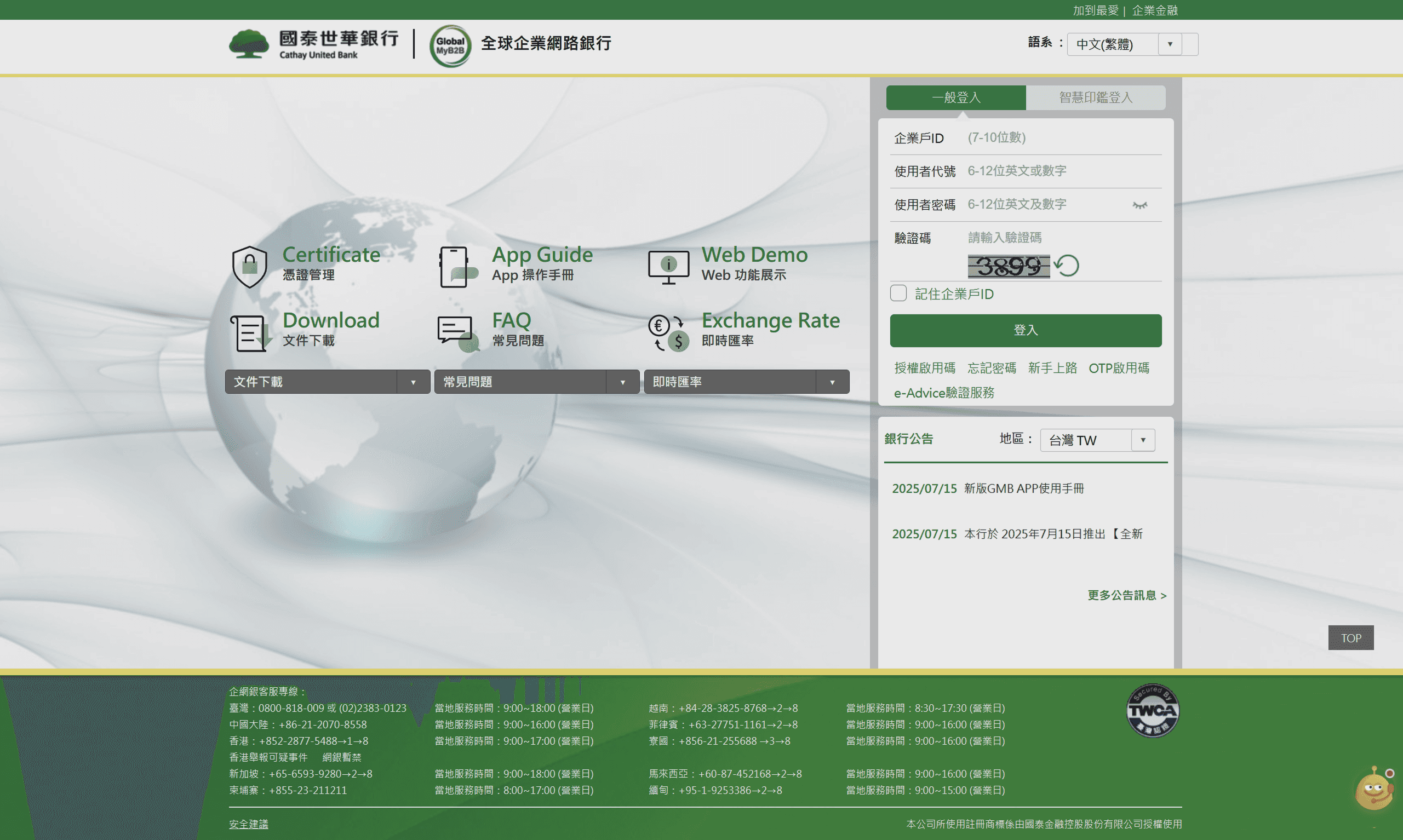
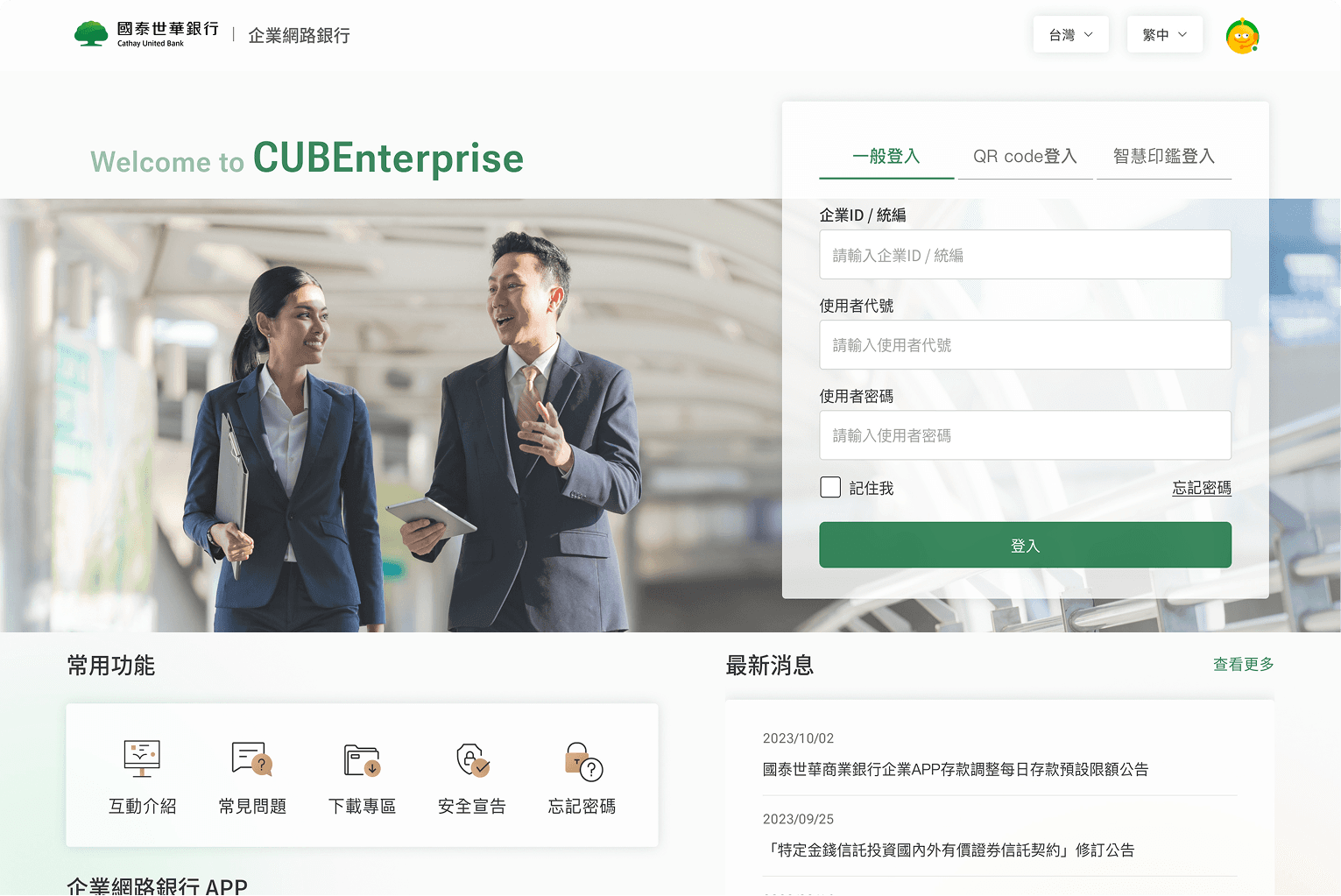
Swipe to see the before (left) and after (right) designs!
Surfacing key status and summaries upfront
The dashboard serves as the main entry point, surfacing key tasks and summaries.
Streamlining transaction flows
Simplified the transfer steps and surfaced key details upfront so users can move through the process confidently.
The Problem
Internal data showed that many teams signed up with clear intent, but did not move forward after initial access. As Cathay United Bank aimed to scale its enterprise banking platform, we needed to understand: what was causing teams to drop off so early, and where the experience was breaking down.
Looking Beyond the Numbers
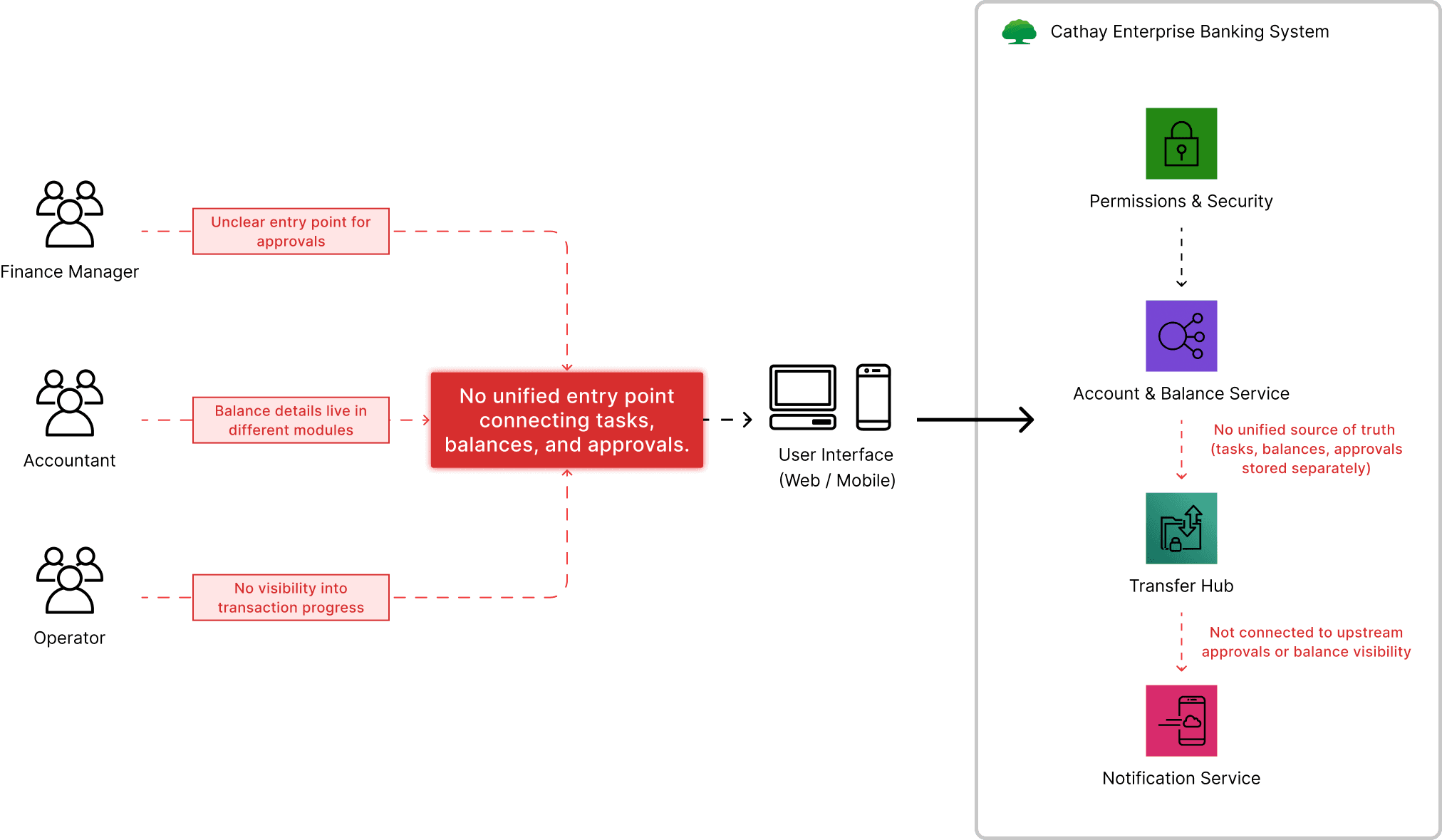
To better understand the problem, I mapped how different roles moved through the current system. It revealed a clear pattern: Tasks, balances, and approvals were fragmented across the platform, and users had to piece together the workflow on their own.
How I Understood the Root Causes
To better understand what was driving the early drop-off, I worked with one UX designer from Cathay internal team to conduct 6 user interveiws and reviewed 10+ global enterprise banking platforms.
Key Research Insights
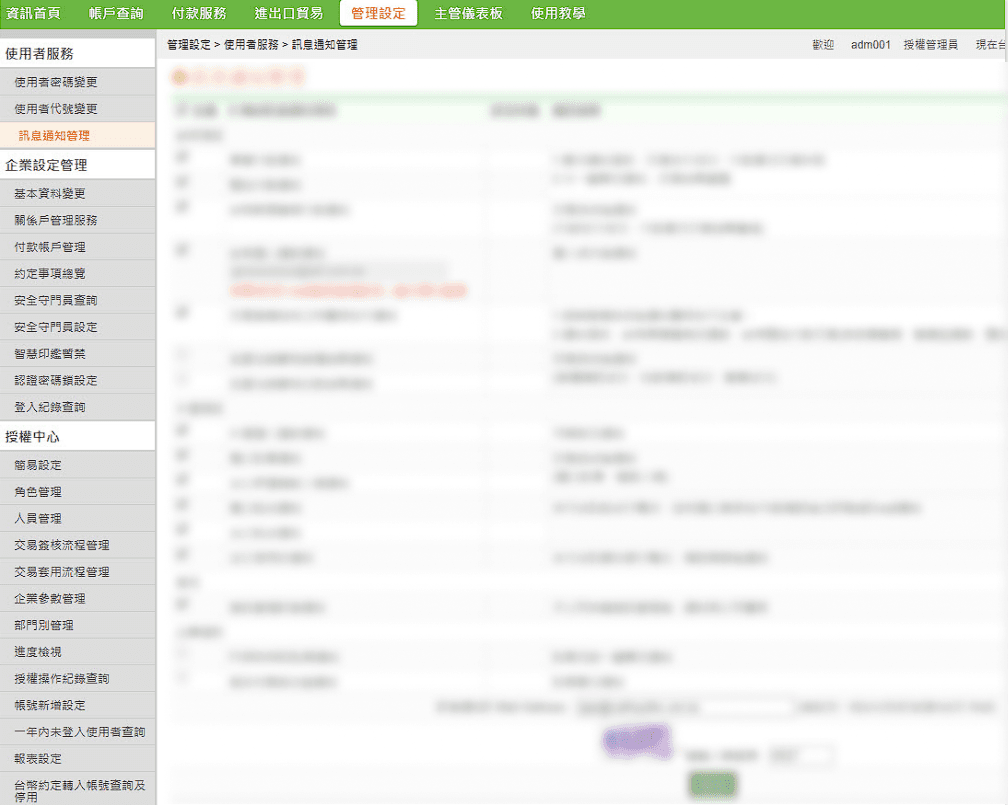
Users relied on trial and error to find where tasks lived
I knew what I needed to do, but I kept clicking around to figure out where it was.
— Operations Manager
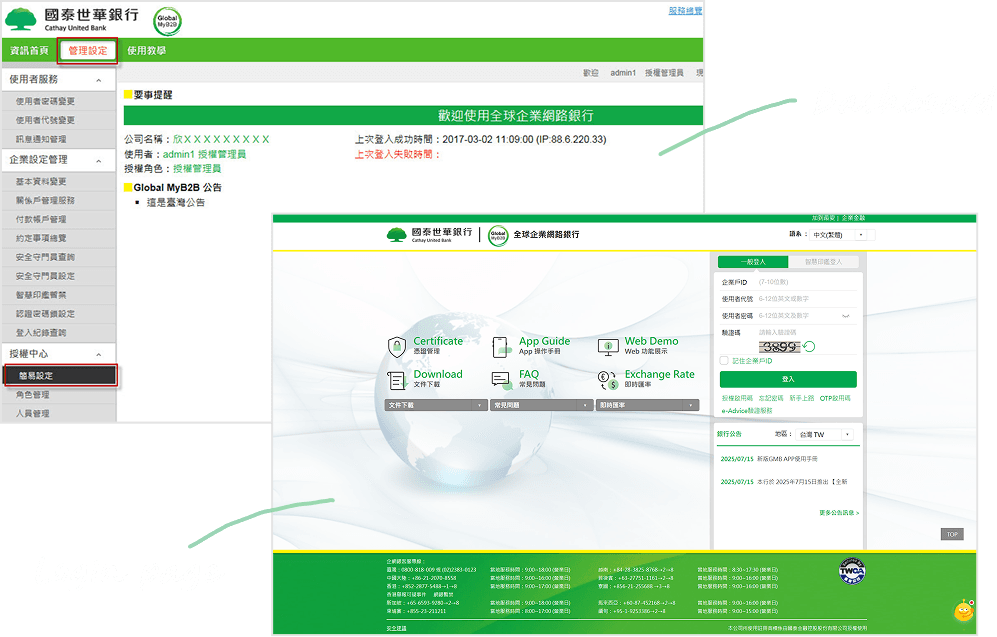
The first touchpoint caused new users to pause
When I first landed on the page, I wasn’t sure what I was supposed to do next.
— Accountant
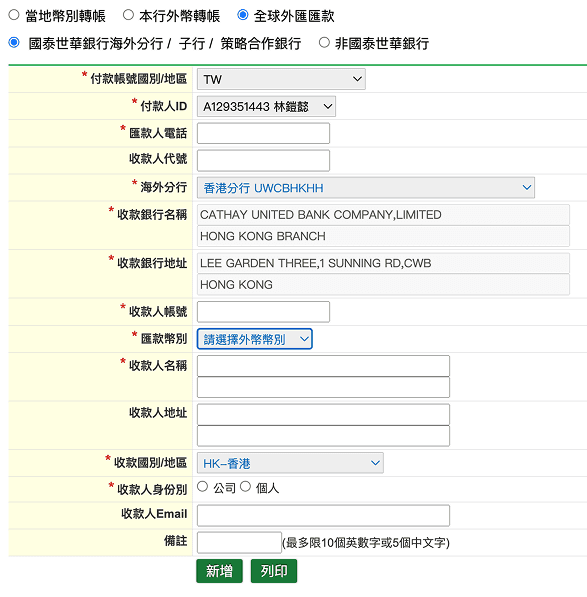
Unclear balance visibility caused users to loop between steps
I kept going back just to check my balance before I could move forward.
— Finance Manager
Designing Within Enterprise Constraints
This project took place within several non-negotiable constraints. The challenge was not removing complexity, but reshaping it into a structure users could understand and trust.
Strict regulatory and security requirements
Core flows, permissions, and audit trails could not be removed or simplified, limiting how steps could be changed.
Fragmented legacy systems
Tasks, balances, and approvals were powered by different services owned by separate teams, making full backend changes out of scope.
Organizational and decision constraints
Design decisions required alignment across teams, with a strong emphasis on minimizing risk for existing clients.
Within these constraints, I collaborated with engineers, Cathay’s design lead, and business partners to define a focused MVP, prioritizing the entry experience and core workflows that most impacted early adoption. I took ownership of redesigning the web landing experience as the first point of intervention.

Design Goal
Design Exploration #1 - Landing Page
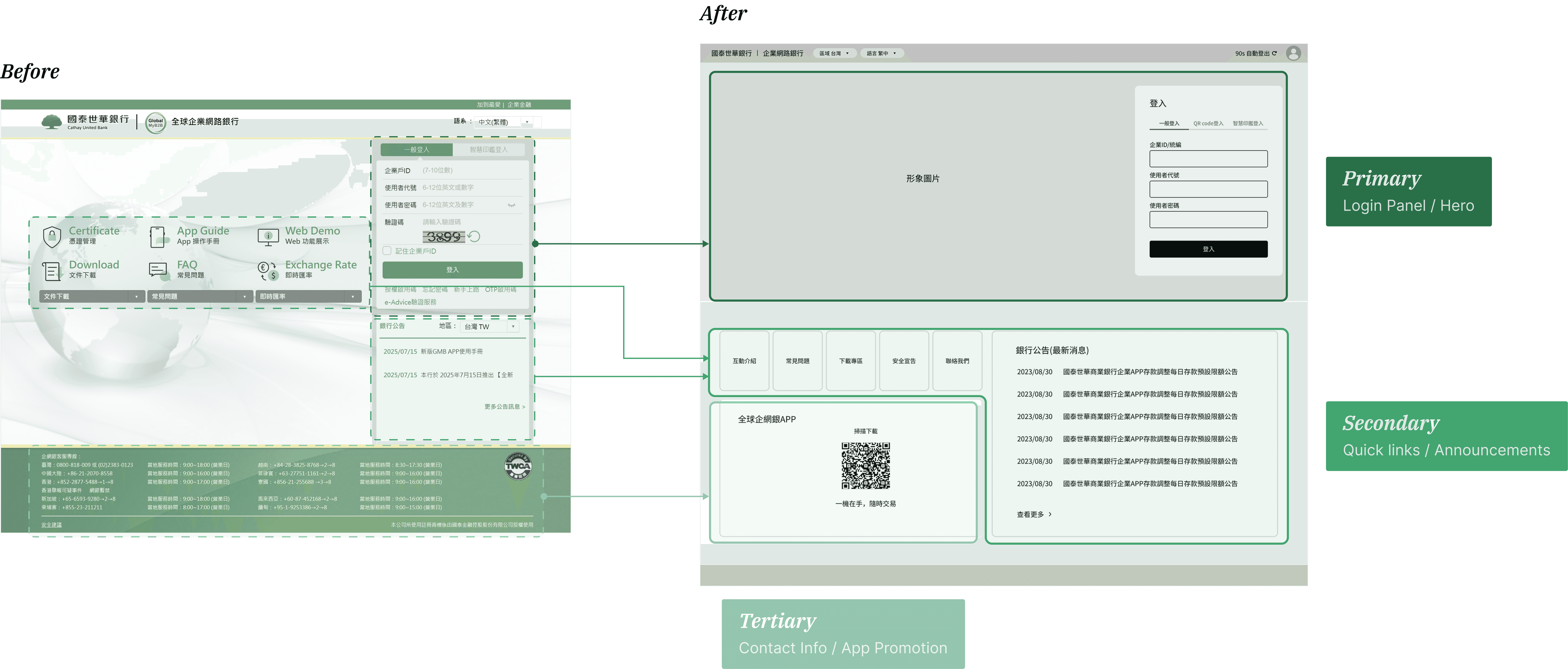
The previous landing page mixed too many modules and outdated UI patterns, making it difficult for finance teams to quickly understand balances or know where to start. I prioritized the login and key actions to make the entry point clearer.
Design Exploration #2 - Dashboard
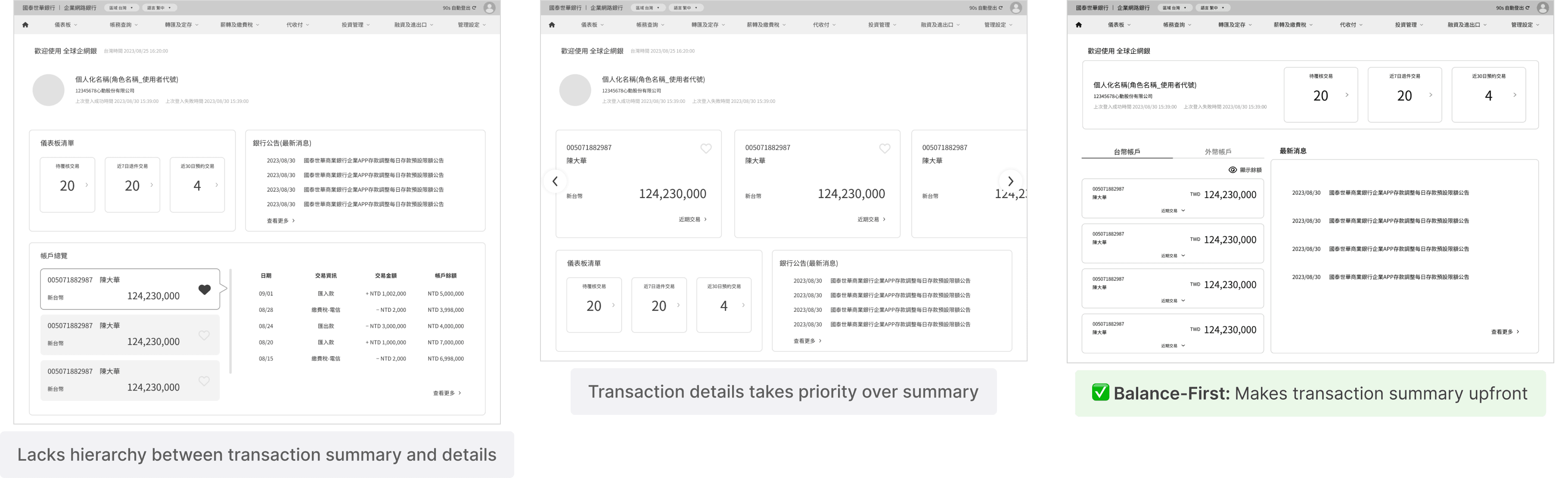
From the interviews, users point out that the current dashboard lack visibility of transactions and key tasks, making it difficult to manage. I explored and tested multiple dashboard layouts to understand how information hierarchy could better support quick decision-making.
Design Exploration #3 - Transaction Flow
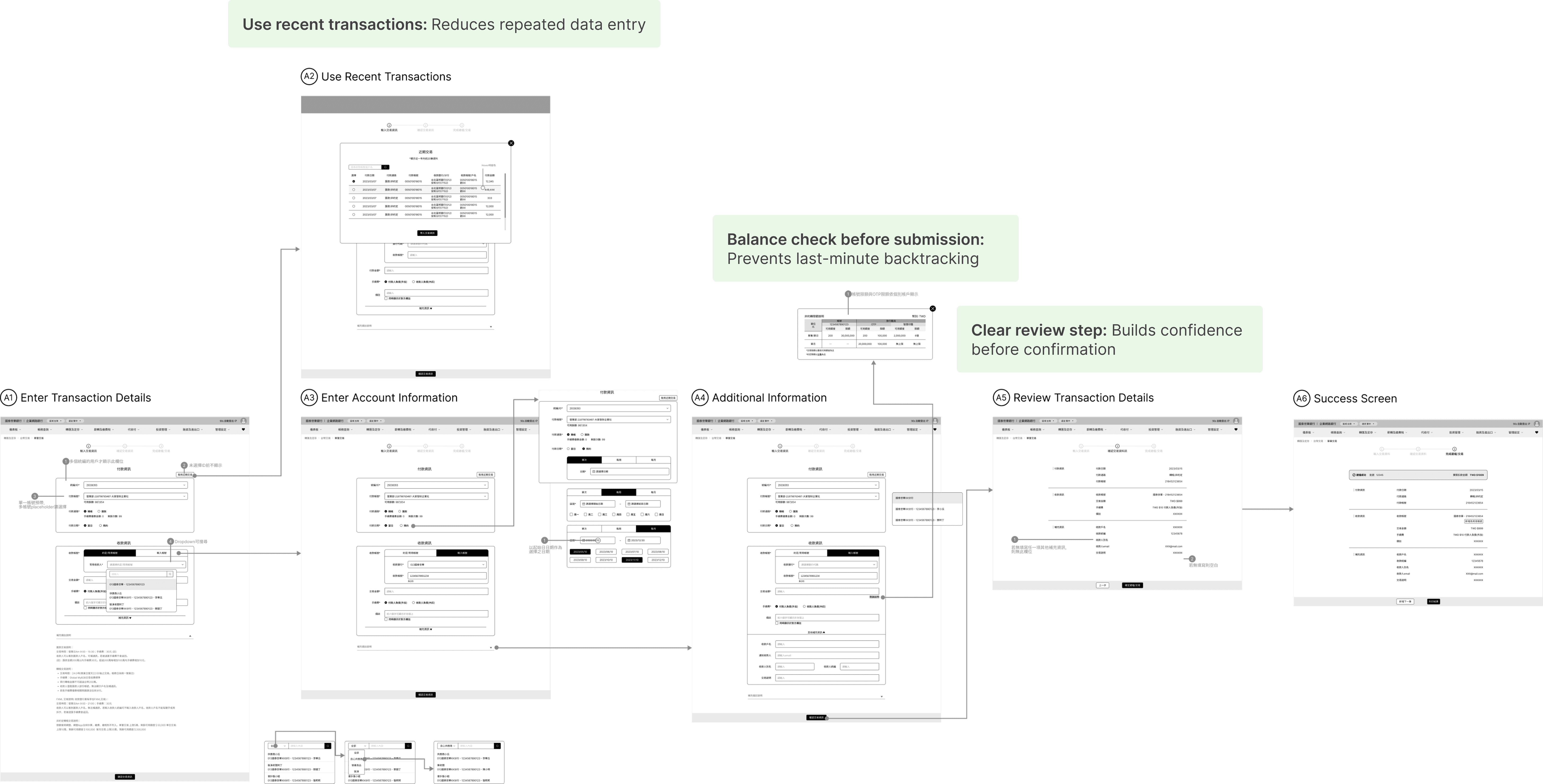
Many users repeatedly went back and forth during transactions. To reduce uncertainty and unnecessary loops, I focused on streamlining the high-frequency workflow while keeping required validations intact.
Final Solution
After launch, early drop-off among new enterprise users decreased, we also got positive feedback from the internal team.


No clear starting point after login
Tasks, balances, and approvals were spread across different sections
Users had to navigate and verify information before moving forward

A trustworthy entry point from the first interaction
Key tasks and summaries surfaced upfront
Streamlined transaction flows
Reflection
Designing with strict contraints
This was my first time designing for an enterprise banking product, where strict regulations set clear boundaries on what could change. Instead of trying to remove complexity, I learned to work within these constraints by focusing on structure, hierarchy, and decision clarity.
Through close communication with PMs, engineers, and the Cathay team, I learned how a designer can drive alignment and move decisions forward in a cross-functional environment.
Data > opinions
Instead of relying on intuition, I pushed myself to ground every design choice in evidence. This made cross-team discussions easier: conversations shifted from “I think…” to “Here’s what we’re seeing, and here’s what solves it.” It taught me how to align design with measurable impact, not just aesthetics.
If I had more time…
If I had more time, I would explore how proactive system guidance could help users understand what requires attention as workflows become more complex, while staying within existing regulatory constraints.